Blackboard (Crypto Trading Terminal): How to Use It, Fees and Board Points Explained
- Duration
- In Progress
- Task
- Supported Chains
- Category
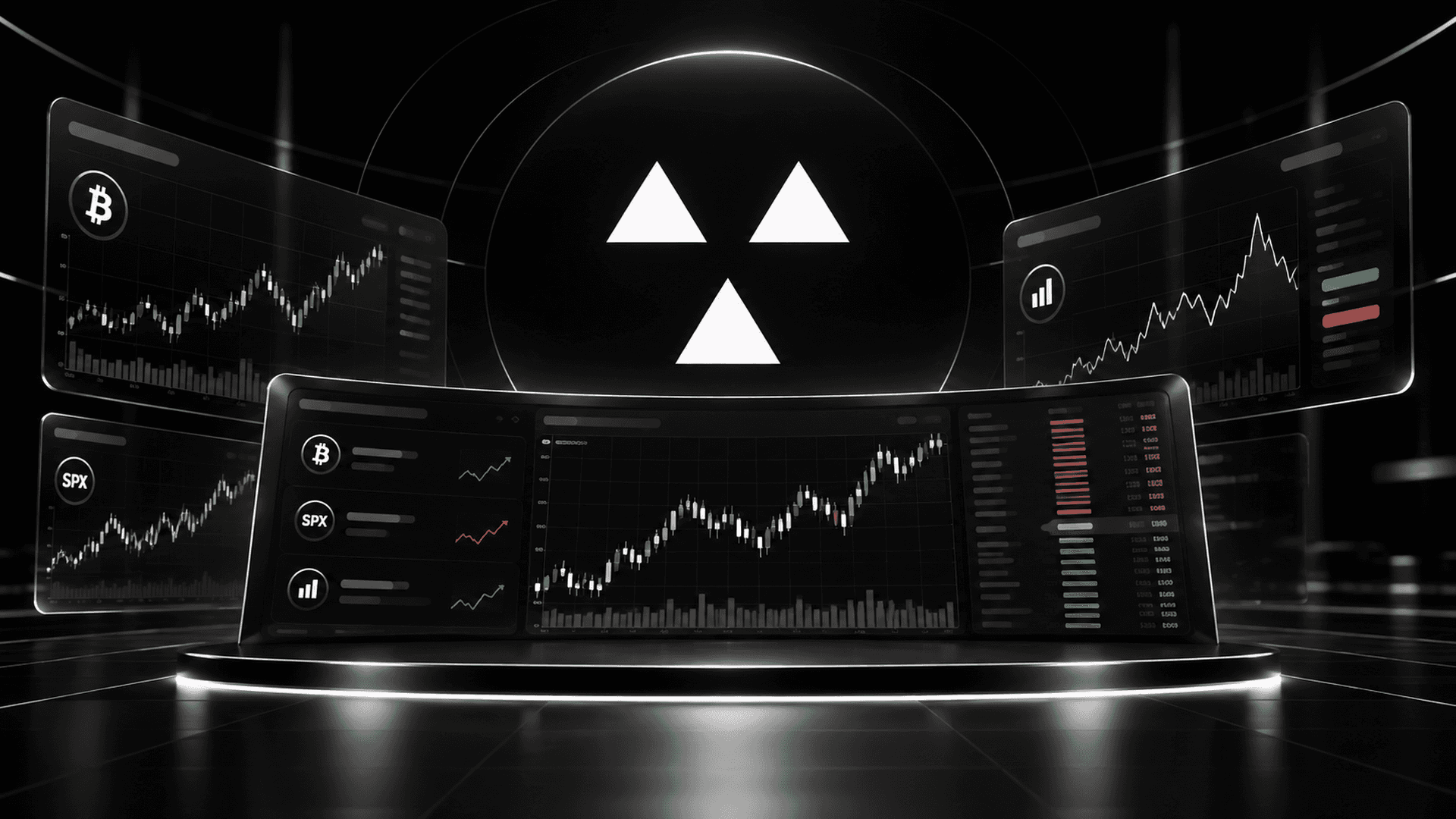
Table of Contents
Blackboard is a non-custodial crypto trading terminal that routes your orders to external products such as Aster and Hyperliquid. Beyond crypto futures, it lets you trade stock index and FX futures, prediction markets, and even trading card packs from a single login. It opened to everyone on October 5, 2026, and in mid-October it also launched "Board Points," which are distributed every week.
What Is Blackboard? A Trading Terminal Without Its Own Order Book
Blackboard does not run its own order book, and the team itself describes it not as an exchange but as a non-custodial interface.
Image: Screenshot of the Blackboard official site (captured October 19, 2026)
The alternatives are a futures account on a CEX or the official interfaces of venues such as Hyperliquid. Compared with a CEX, you can start with an email or Google account without depositing your assets with an operator, and you can trade stocks and prediction markets on the same screen. The founder cites routing each market to the product with the deepest liquidity as the reason to use it, saying that if Lighter overtook Hyperliquid, Blackboard would route to Lighter. No native token has been issued, and there are reportedly no concrete plans for one yet.
Order Routing and Builder Fees
Blackboard uses a mechanism on the connected products called a "builder code" to add its own cut (the builder fee) on top of the orders it routes. How signing works differs from product to product. Delegating to Blackboard does not mean automated trading starts.
Operating Company and Founder
The operating entity is BLACKBOARD SOLUTIONS LTD., based in the British Virgin Islands. Founder Jace Choi is introduced as a former VP of Sales at Bitget and a former country lead at Gate.io.
5 Markets You Can Trade on Blackboard
The app has five trading tabs, and each tab changes which product your orders are routed to and which currency is used for margin.
Image: Screenshot of the Blackboard app (captured October 19, 2026)
There are 547 markets in total: 428 in Crypto, 115 in TradFi and 4 in 1000X (as of October 19, per the app). The roughly $2.8 billion 24-hour volume on the home screen is the combined volume on the underlying products (Hyperliquid and Aster) for the markets listed on Blackboard, and it is not volume traded through Blackboard. Blackboard has not disclosed the volume traded through it or its number of users.
Crypto Futures Fill on Aster's Order Book
Perpetual futures in the Crypto tab fill on the order book of Aster, a perp DEX, with USDT as margin (USDC is also accepted in Multi-Asset mode).
Stock, Index and FX Futures (HIP-3)
The TradFi tab connects to Hyperliquid's HIP-3 markets, where you trade USDC-margined futures that track the prices of stocks, indices, FX and commodities. There are 115 markets in total (102 stocks, 10 commodities and 3 FX), and the maximum leverage varies by asset, such as 50x for the S&P 500 and 10x for SKHYNIX.
1000X: Up to 1,000x Leverage
1000X is a futures product connected to Aark. Margin is USDC on Arbitrum, and it uses a separate account and wallet. There are four markets (ETH, BTC, SOL and XRP), and leverage ranges from 500x to 1,000x. Margin is chosen from four preset amounts each: $10 to $3,000 for BTC and ETH, and $10 to $100 for SOL and XRP.
Prediction Markets and Trading Card Packs
The Prediction tab connects to Polymarket, where you buy and sell shares on the outcomes of events and on short-term price moves (Up/Down) using pUSD on Polygon. In the TCG tab, you can open packs of tokenized graded cards from Collector Crypt. Each pack shows its price, odds and buyback terms. The card marketplace is not available yet.
Blackboard Fees: How They Compare With Trading on Aster Directly
Orders placed through Blackboard carry its cut on top of the product's own fees. Crypto futures are split into six tiers based on 30-day volume; here are the two ends of the scale next to trading on Aster directly.
| How you trade | Taker | Maker |
|---|---|---|
| Aster directly (standard) | 0.04% | 0% |
| Bronze ($0+) | 0.0650% | 0.0250% |
| Legendary ($4.29B+) | 0.0430% | 0.0030% |
In Bronze, the tier most users fall into, both rates are 0.025% higher than on Aster directly, a difference of about $2.50 on a $10,000 market order. TradFi and Crypto volume are combined to share a single tier.
Orders land on the same order book as trading on Aster directly, so the difference is what you pay for having one gateway to many venues. If you only trade crypto futures, it is a cost that adds up with every trade. If you also use stock futures or prediction markets, it is the price of not having to line up a separate margin currency and wallet for each product.
Fees for Stock Futures, Prediction Markets and 1000X
HIP-3 has no fixed fee schedule, so check the total fee in the pre-order estimate. Prediction markets charge 1.00% taker and 0.50% maker. With 30-day volume of $1 million or more, 13.57% to 59.29% of the fees you pay become eligible for a rebate. In 1000X, if you open a BTC order at maximum leverage with $10 of margin, $0.60 (about 6%) is deducted up front as an execution fee.
Withdrawals and Gas
Gas for trades is $0. Withdrawals are made in USDC, and the team covers gas for withdrawals to Arbitrum. Conversion and bridge fees may apply.
👉 See Blackboard's pre-order fee estimate
What Are Board Points? Points Distributed Every Week
Board Points are Blackboard's points, distributed weekly based on trading and participation. Season 01 was announced on October 16 and covers trading from October 12 to 25. Each week runs Monday to Sunday (UTC); points are provisional (pending) during the week and become final once Sunday ends.
How the Weekly 125,000 Points Are Split
| Category | Weekly pool | How it is determined |
|---|---|---|
| Trading (50%) | 62,500 | Based on weekly trading volume (no fixed conversion rate) |
| Event (30%) | 37,500 | Settlement of competitions and similar events |
| Retention (20%) | 25,000 | Completed quests |
Because each pool is shared among all participants, your share shrinks for the same volume when other users trade more. There is no fixed conversion rate, and the same dollar amount on different products will not necessarily earn the same points.
Reading the Points Screen (Pending, Final, Adjusted)
Season total is the sum of finalized points only. If your Season total is 1,200 and 80 are pending, your finalized total stays at 1,200; if that week finalizes at 75, it becomes 1,275. Adjusted means the allocation has been corrected. Season rank is your position among ranked participants, and Unranked does not mean rank 0 but that you are not included in that ranking.
Blackboard Airdrop and Points
Board Points cannot be withdrawn or cashed out, and neither a token allocation nor any value is guaranteed. Nothing has been announced about what the points can be used for or whether they relate to a future token. Quest XP is separate from Board Points and does not translate into the same number of points. Logging in on consecutive days alone does not finalize Retention points.
What to Check When Points Don't Show Up
- Make sure you are on the same account you traded with
- Compare the breakdown by season, week and product
- Check the category, total, status and last-updated time
- If points still don't appear, contact Live Chat or support@blackboard.fi with the time and the order reference
Points not being displayed does not mean they were finalized at 0, so there is no need to repeat trades. Orders placed via the API must meet conditions such as including Blackboard's builder information in the order; simply using the same wallet does not make them eligible for points.
Blackboard × Aster Trading Competition
Separately from points, an Aster futures trading competition is running from October 10 to November 10 (UTC). It has a Volume division based on trading volume (up to $70,000) and a PnL division based on net profit and loss (up to $30,000), and you join via Join Arena on the competition page. Trades made before registering also count, and you need at least $88,888 in trading volume to qualify.
Image: Screenshot of Blackboard Trading Arena (captured October 19, 2026)
There are seven prize tiers, and the first tier unlocks once 50 traders qualify. As of October 19, there were 21 qualified traders in the Volume division and 20 in the PnL division, and neither had unlocked. The 21 qualified traders in the Volume division had a combined volume of about $38.98 million, roughly half of it from the single top trader. Because prize tiers only unlock when enough traders qualify, large trades alone do not grow the pool. Trading $88,888 at the Bronze taker rate costs about $58 in fees.
Risks to Know Before Using Blackboard
1000X Liquidates on a Move of About 0.07%
A BTC order at maximum leverage with $10 of margin had an entry of $82,637.51, with a liquidation price of $82,579.65 for a long and $82,695.35 for a short (October 19).
Image: Screenshot of the Blackboard app (captured October 19, 2026)
A price move of about 0.07% wipes out your margin. There is also a demo mode that does not use real money.
Stock Futures Don't Give You the Stock
HIP-3 futures only track prices, so you do not get the shares, voting rights or dividends. Trading hours and price moves can also diverge from the original exchange. Funding is settled every hour.
Wallets Are Split by Product
The wallet you log in with and the trading wallet for each product may have different addresses. TCG uses a separate Solana wallet. Only the selected embedded EVM wallet lets you export its key, so if Blackboard goes down, recovering your funds may take time.
How to Use Blackboard: From Login to Your First Trade
There are four ways to log in: email address; Google, Apple, X or Discord; wallet connection; and passkey.
Image: Screenshot of the Blackboard app (captured October 19, 2026)
When you log in, Privy creates an embedded wallet for you.
- Log in at app.blackboard.fi
- Deposit from Deposit under Wallet or Cash
- Move your balance to the account for the product you want to use via Transfer or Add funds
- Choose a market and run Enable Trading when prompted
- Check the direction, size, fee and liquidation price, then place the order
- If you're not sure whether an order filled, check your history before placing it again
How to Deposit on Blackboard
To deposit, open Deposit under Wallet or Cash and choose one of the following methods.
| Method | Details |
|---|---|
| Direct USDC | Send USDC on one of the 4 supported chains, matching the network |
| Other crypto | Deposit by converting other currencies (check the quote and minimum amount) |
| Connected wallet / card | A connected wallet, or a card or payment provider where offered |
The four chains you can send to directly are Arbitrum, Polygon, HyperEVM and Solana. Sending USDT directly to a USDC deposit address will not convert it, so deposit USDT on Arbitrum via Other crypto. Send to the address shown on the deposit screen.
Can You Use It From Japan?
The terms prohibit use by sanctioned persons and by residents of countries such as Cuba, Iran, North Korea and Russia; Japan is not included. Japan is also not on the list of places where prediction markets are unavailable, such as the United States, the United Kingdom and Taiwan. However, the team does not solicit residents of Japan, and its policy on regional availability has not been decided.
👉 Log in to Blackboard and check deposits and supported regions
Summary
Blackboard is a trading terminal that lets you place orders on the order books of Aster, Hyperliquid and Polymarket from a single login, with its own cut added to the fees. If you only trade crypto futures, the deciding factor is the gap versus trading on Aster directly; if you use several markets, it is the hassle you save. Board Points cannot be cashed out, and no link to a token has been announced.
Sources
- Blackboard official site (2026)
- Blackboard docs: Overview (2026)
- Crypto Times: Founder interview (2026)
- Blackboard official X: Public launch (2026)
- docs: Security (2026)
- docs: Fees (2026)
- Terms of Service (2026)
- Blackboard API: Markets (2026)
- docs: TradFi (2026)
- docs: 1000X (2026)
- docs: Prediction markets (2026)
- docs: Trading cards (2026)
- Aster docs: Fees (2026)
- Official X: Withdrawals (2026)
- Official X: Season 01 (2026)
- docs: Points (2026)
- Trading Arena (2026)
- API: Competition leaderboard (2026)
- docs: Deposits (2026)
- docs: First trade (2026)
Disclaimer
- ・This article is created for informational purposes only and should not be used to solicit the sale, purchase, or underwriting of cryptocurrencies, securities, or other financial products, nor should it be considered an invitation to engage in such transactions, or constitute financial or investment advice.
- ・The information and opinions in this article are obtained from sources that we believe to be reliable, but we do not guarantee their accuracy, completeness, suitability, timeliness, or truthfulness.
- ・We, the authors, and all related parties are not responsible for any damage or loss caused by or related to the information published in this article. Cryptocurrencies involve hacking and other risks, so please conduct thorough research before using them.
Supervised by

Shingo Arai
CEO, Rokubunnoni Inc.
After completing a Master's degree in Management Engineering at Tokyo University of Science in 2013, Shingo Arai worked as an engineer, data scientist, and data analyst at multiple companies in the web, app, and advertising industries. He entered the cryptocurrency and blockchain space around 2017, founded Rokubunnoni Inc. in January 2018, and launched Crypto Times — a blockchain-focused media outlet — in February 2018. With approximately 9 years in the industry, his expertise spans DeFi, L1/L2 protocols, tokenomics, ZKP, and domestic/international regulatory trends. He actively conducts on-chain asset management and research. He has authored and supervised hundreds of articles, spoken at conferences in Japan and abroad, served as a DeFi investment seminar instructor, and operated KOL ambassador programs.
Recommended Articles



Table of Contents